While writing the Why Java Strings Are Special post, I realized I didn’t remember exactly how stack and heap really works. So I dug out my operating system notes and refreshed some good ol’ memories.
Here we go, a deep dive into memory management in C!
Memory layout of a C program
A C program’s memory can be visualized as follows:
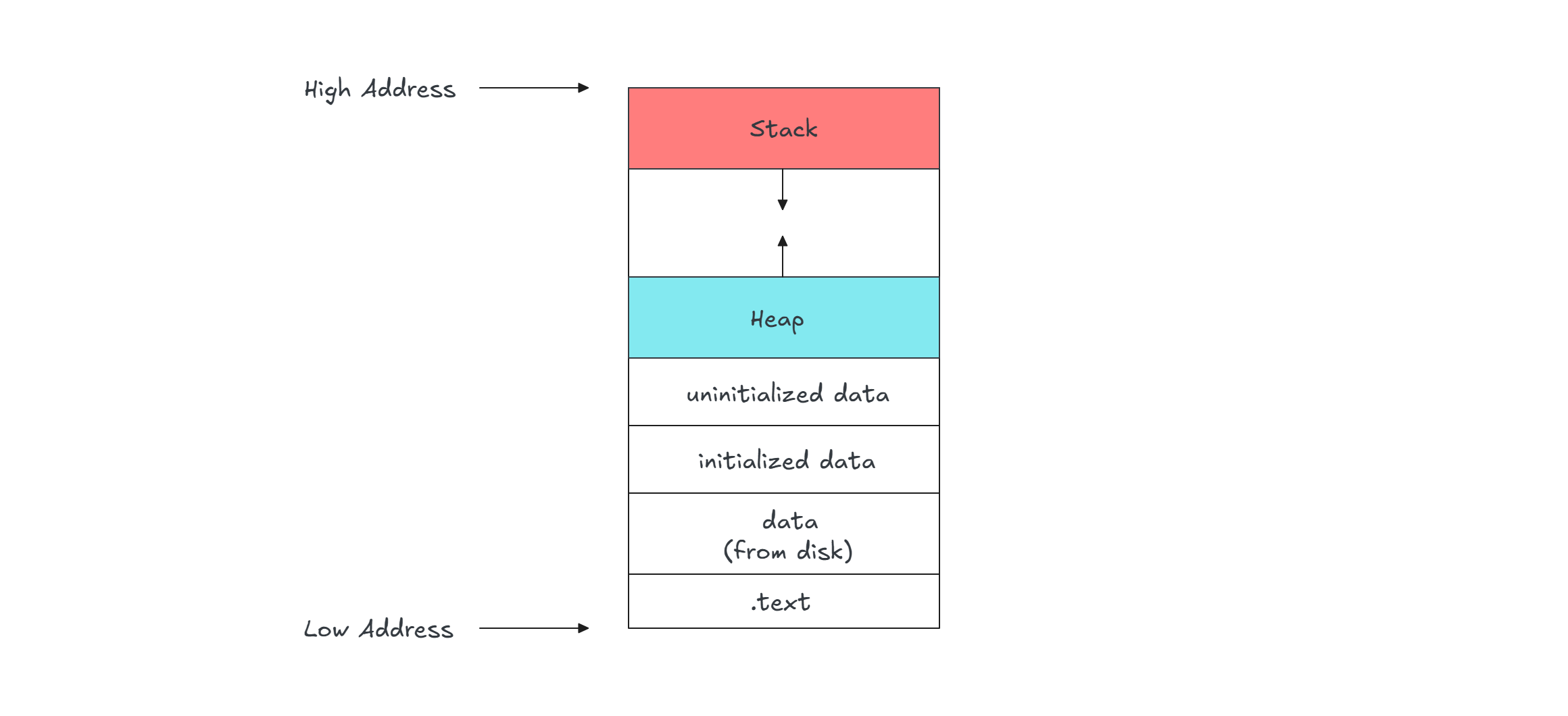
The key parts are:
.text- Stores the compiled machine code (read-only).Datasection - split into:- Initialized data - Stores global and static variables with assigned values.
- Uninitialized data - Stores global and static variables without assigned values.
Stack- Stores function call frames, local variables, and grows downwards.Heap- Used for dynamic memory allocation, grows upwards.
Note: This is a simplified representation of how a program appears in memory. In reality, the Memory Management Unit (MMU) handles all address translations for virtual memory. The CPU “spits” out a logical address which is translated by the MMU into a certain segment/page then allocated in the RAM. It can be worth investigating about virtual memory in another blog post though ;)
Let’s consider the following example:
int a;
int b = 10;
int main () {
	int c = 10;
	return 0;
}
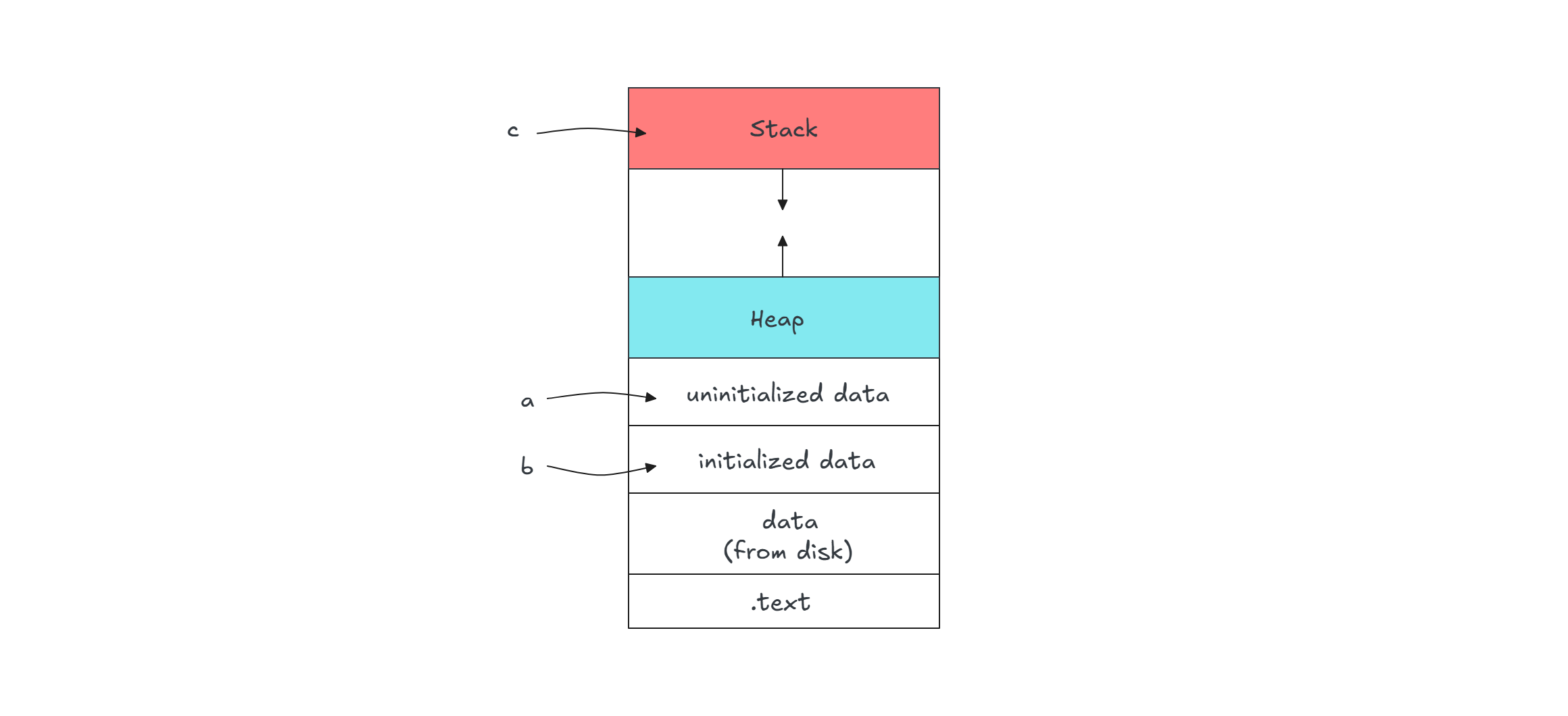
ais an uninitialized global variable, so it goes into the uninitialized data section.bis an initialized global variable, so it is stored in the initialized data section.cis a local variable inmain(), so it is stored in the stack frame ofmain().
Allocating in stack and heap
By default, all variables are allocated on the stack.
However, we can allocate memory on the heap using malloc(). Consider this example:
#include <stdlib.h>

int main() {
    int a = 3;           // Stored in stack
    int b[] = {1, 2, 3}; // Stored in stack
    int *c = malloc(sizeof(int) * 3); // Allocated in heap
    return 0;
}
Before the function return statement, the stack will contain a and b, while c will store a pointer to the heap-allocated array.
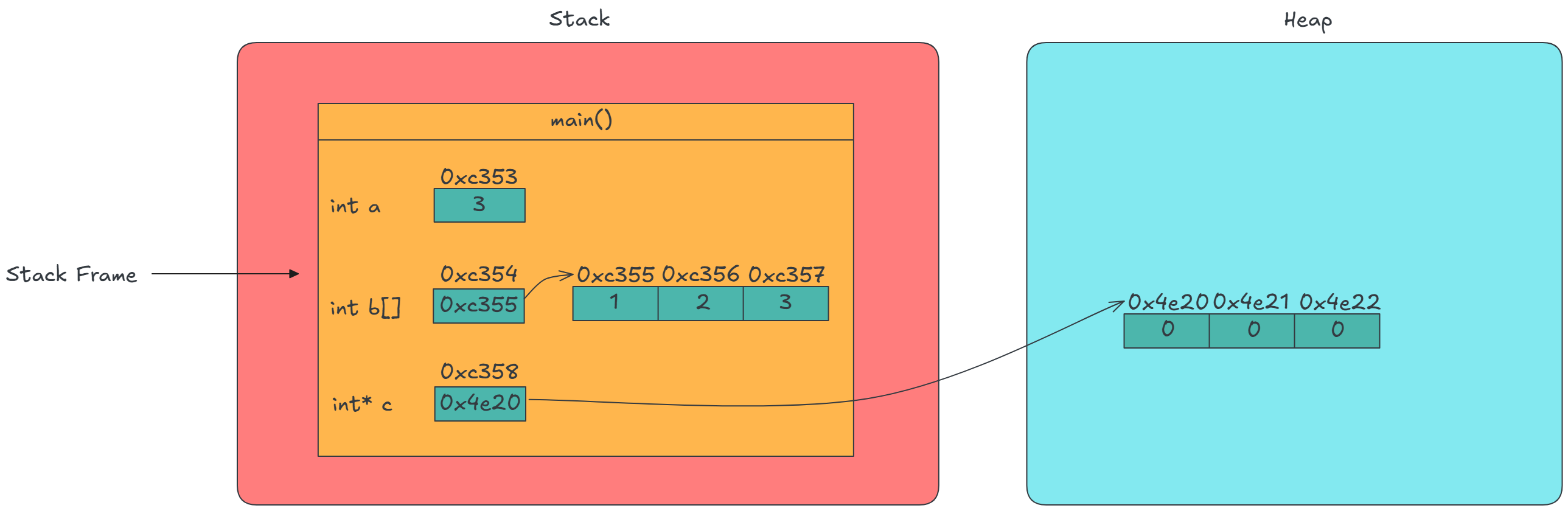
Notice how every varabile has an address in memory, even a pointer which is essentially a container for a memory address, still has it’s own address.
Passing by value vs by reference
Let’s explore how function arguments behave when passed by value versus reference by taking this program as an example:
#include <stdio.h>
#include <stdlib.h>

void foo(int val, int arr[]) {
    val = 11; // No effect on original value
    int a = 12;
    arr[0] = a; // Modifies the original array
    arr = {5, 6, 7}; // No effect on original array
}

int main() {
    int a = 3;
    int b[3] = {1, 2, 3};
    int *c = malloc(sizeof(int) * 3);
    foo(a, b);
    free(c);
    return 0;
}
You can see what happens step by step here below:
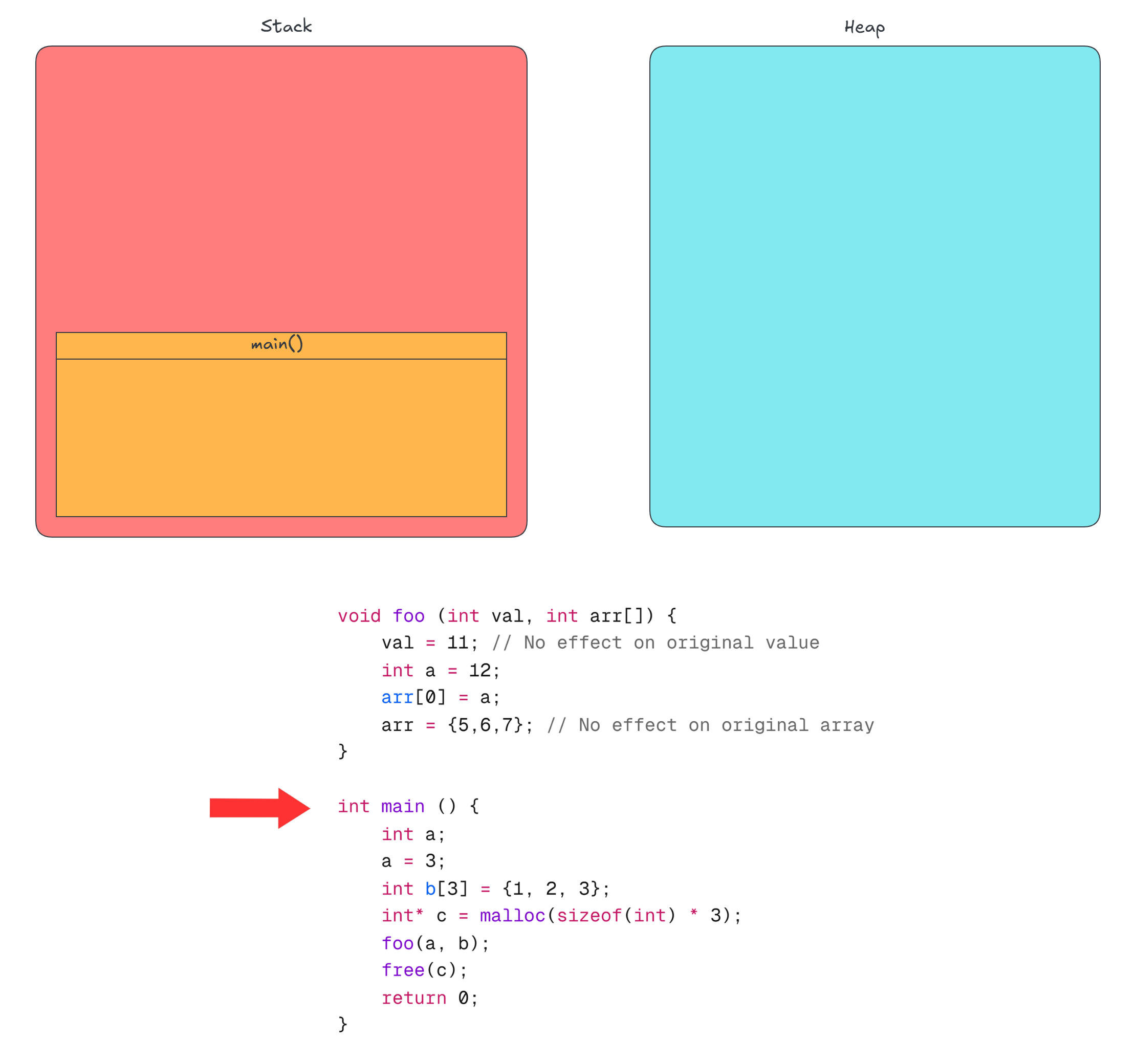
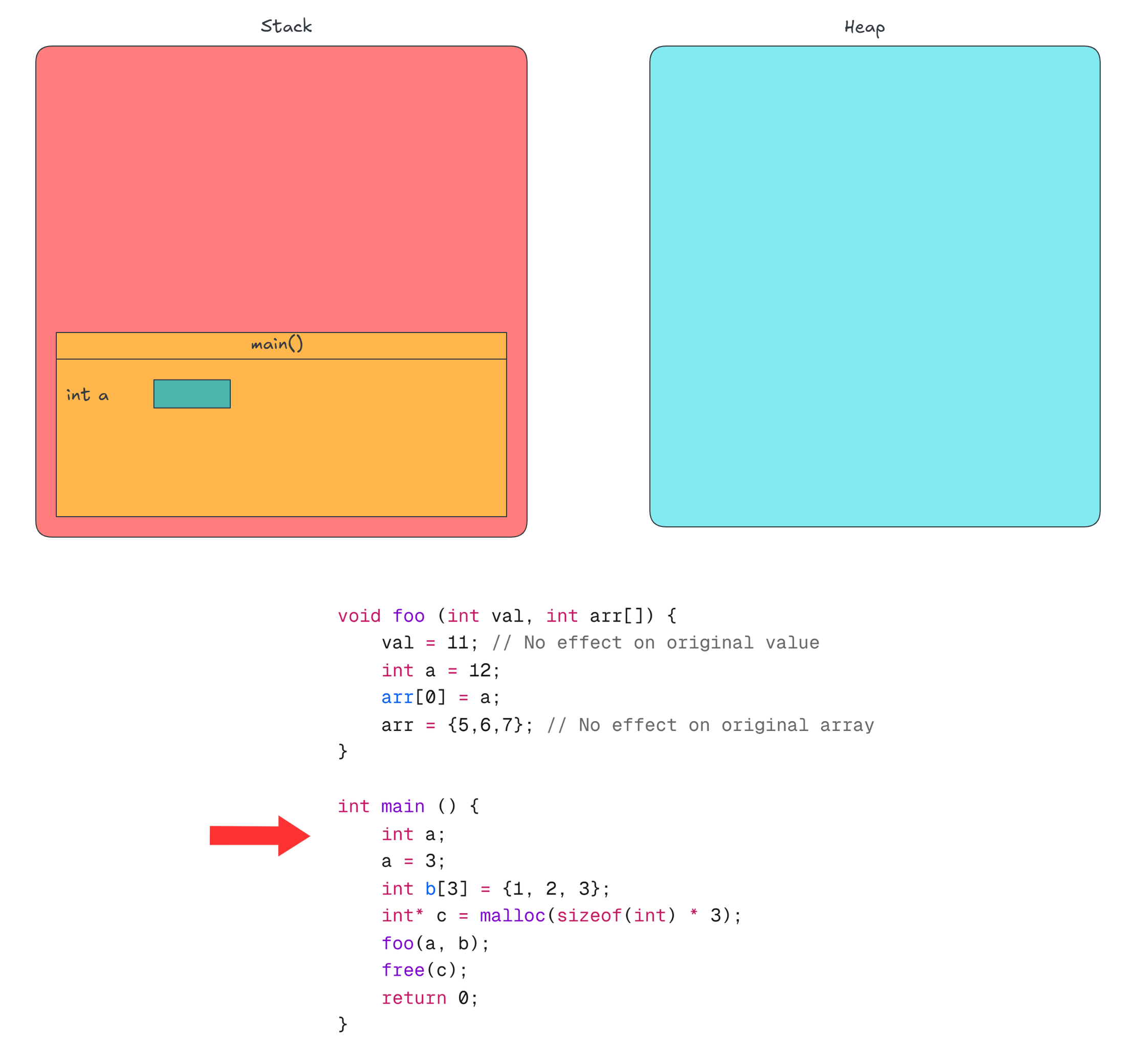
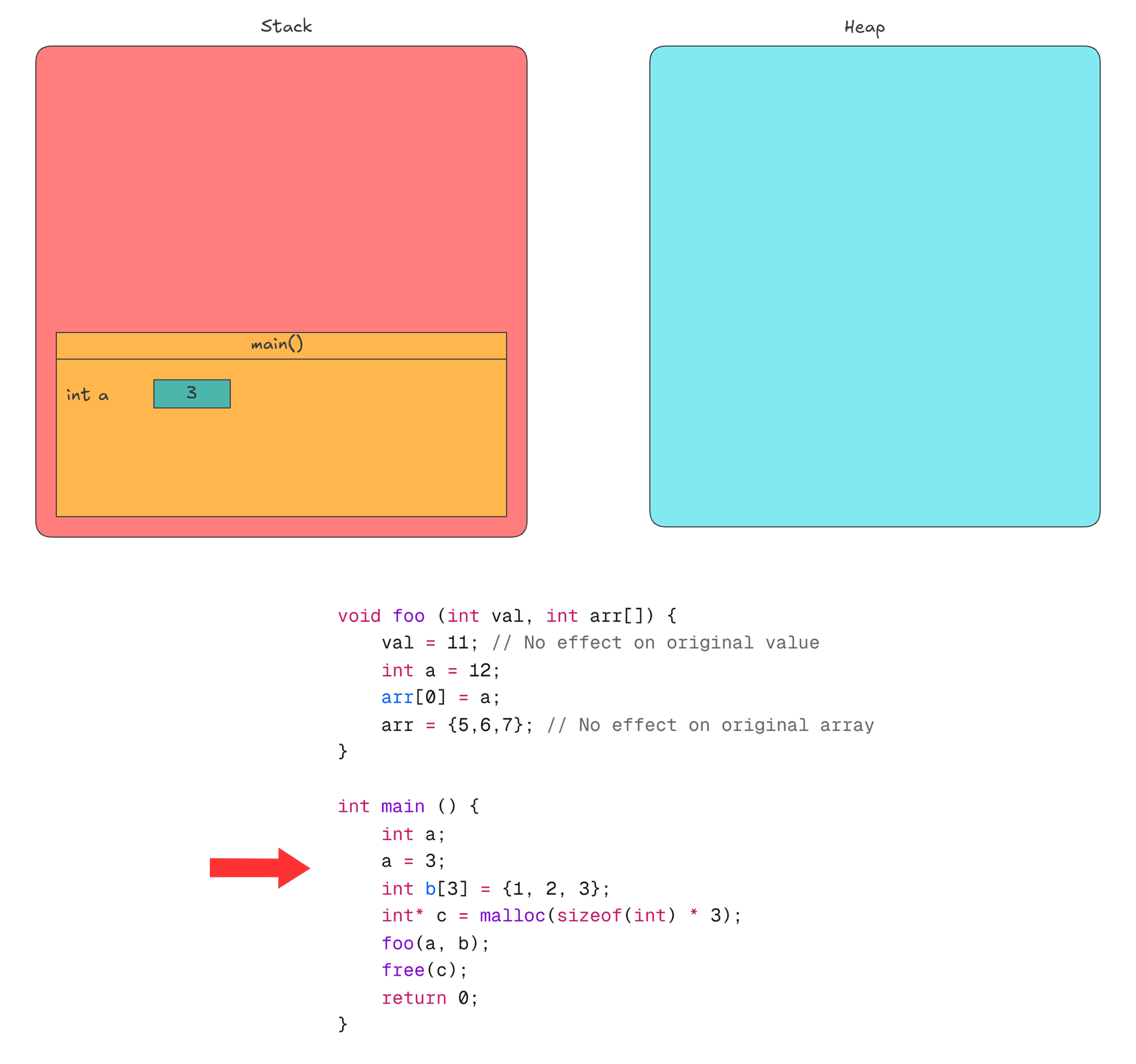
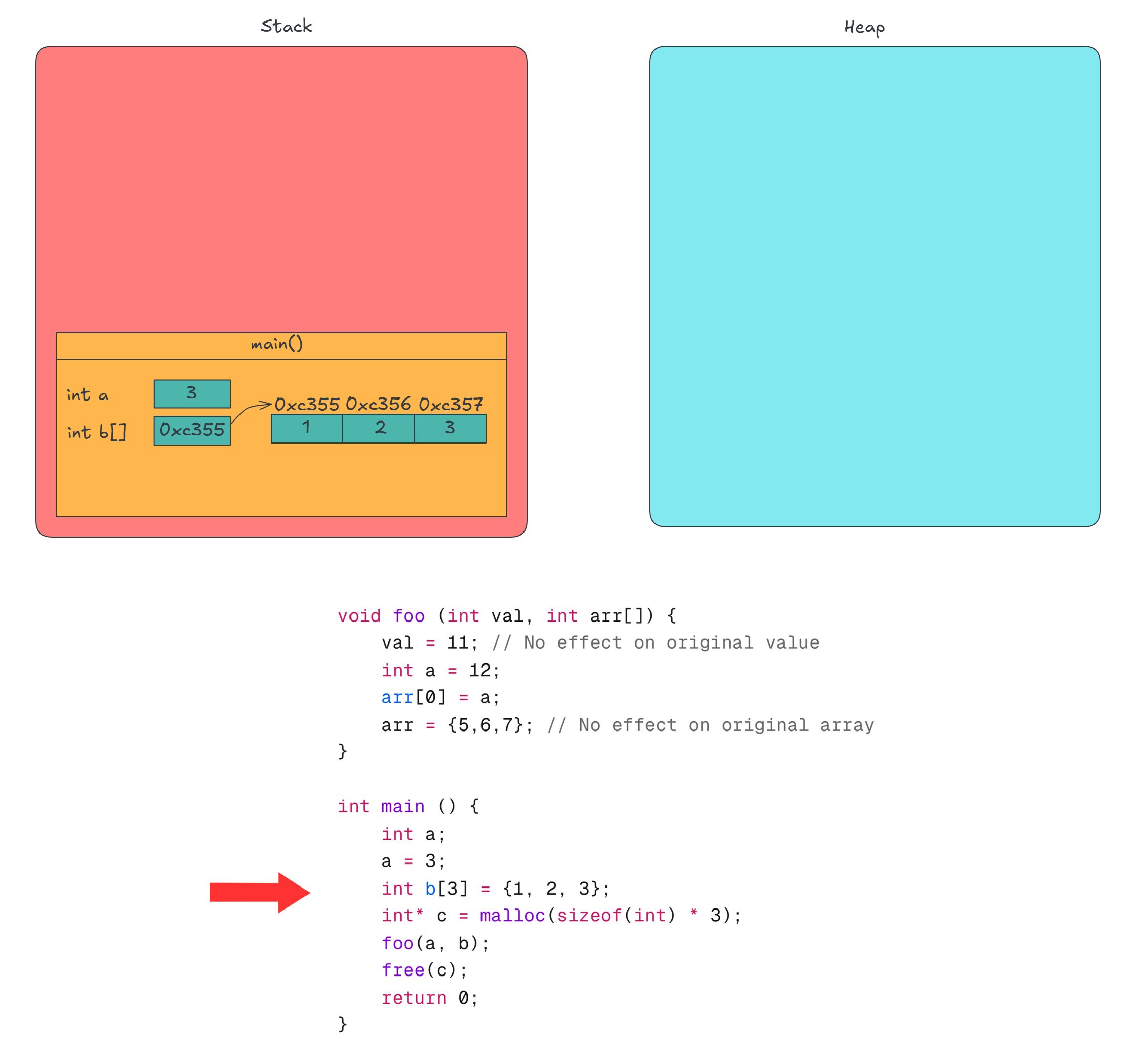
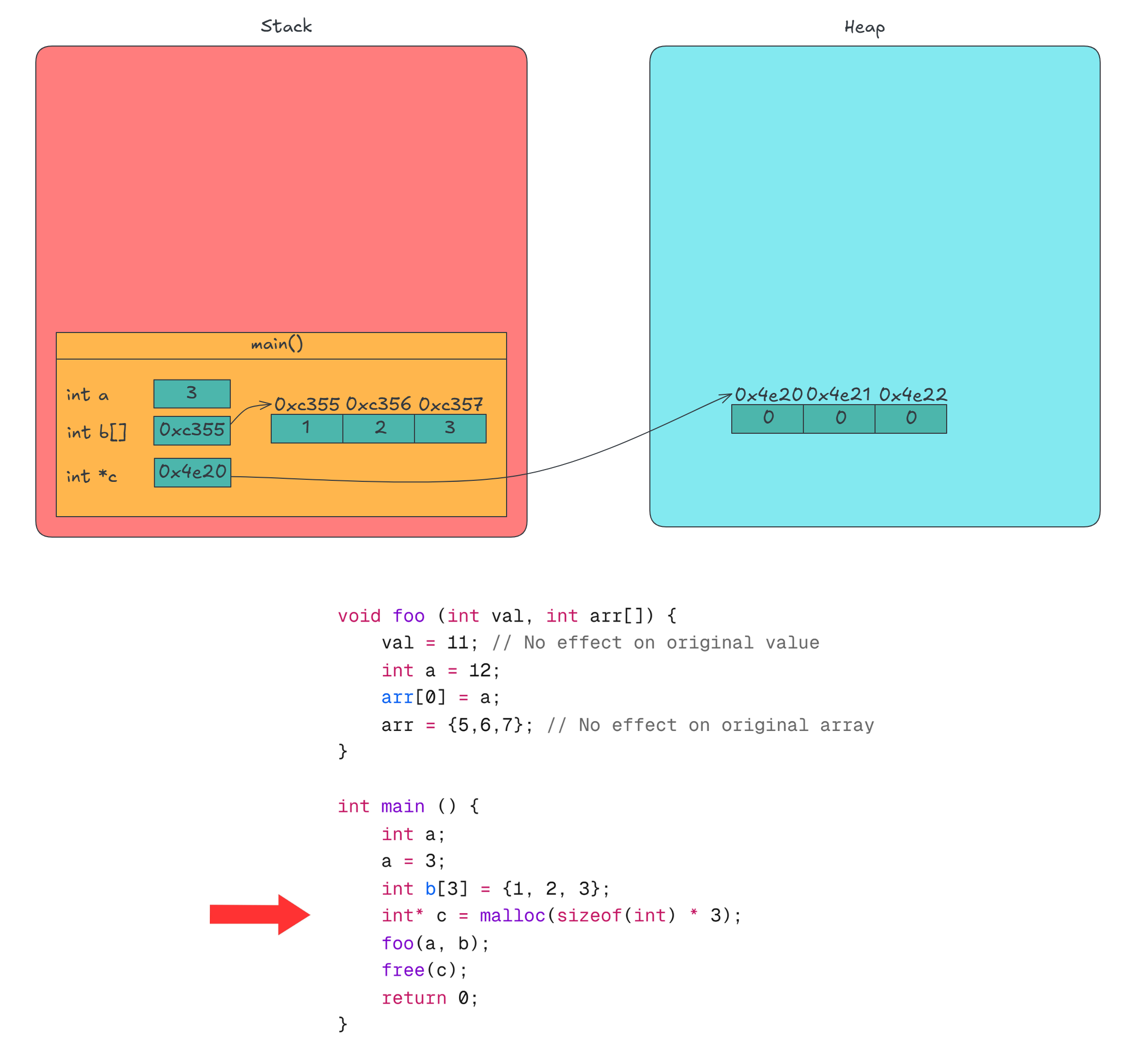
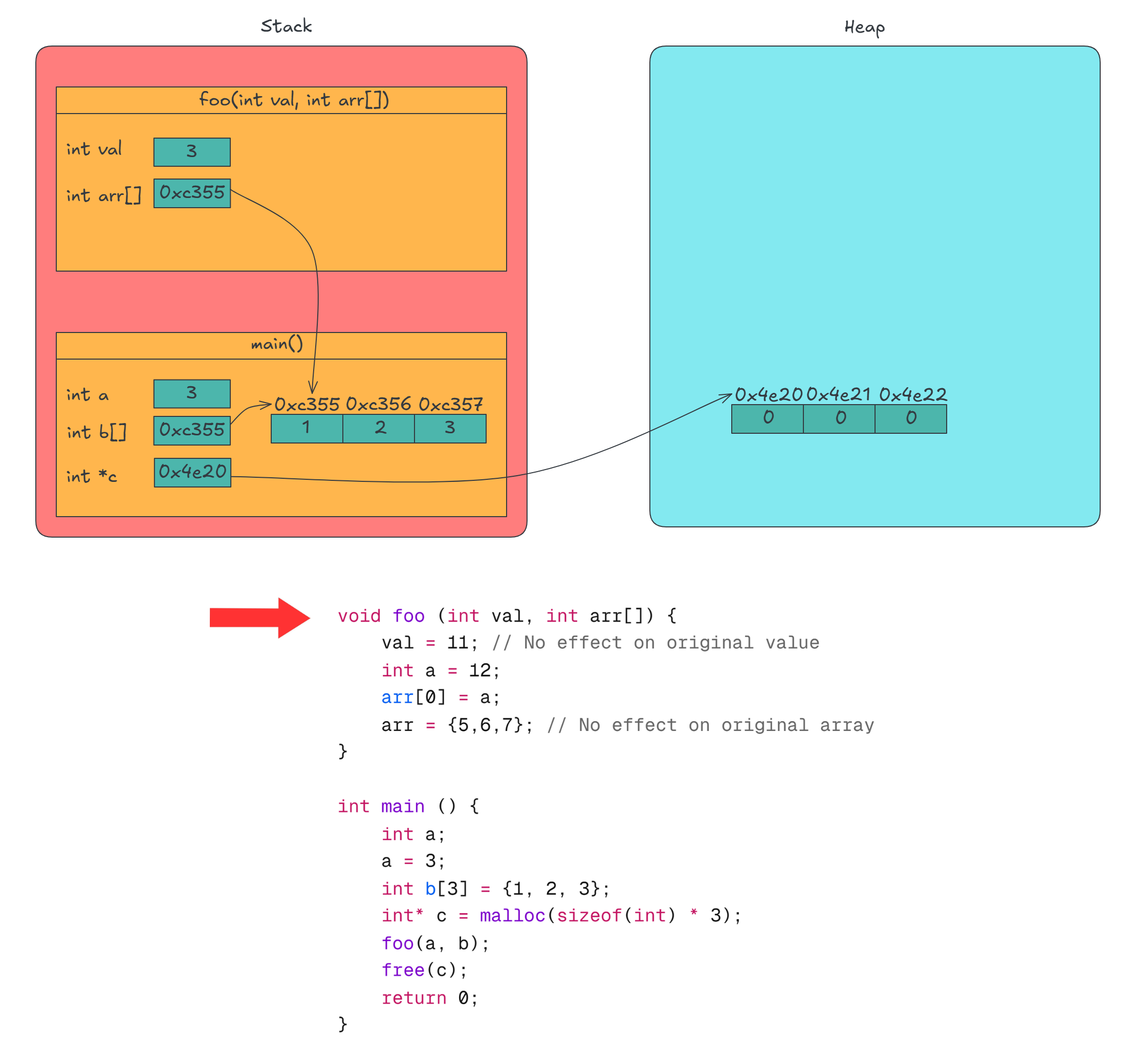
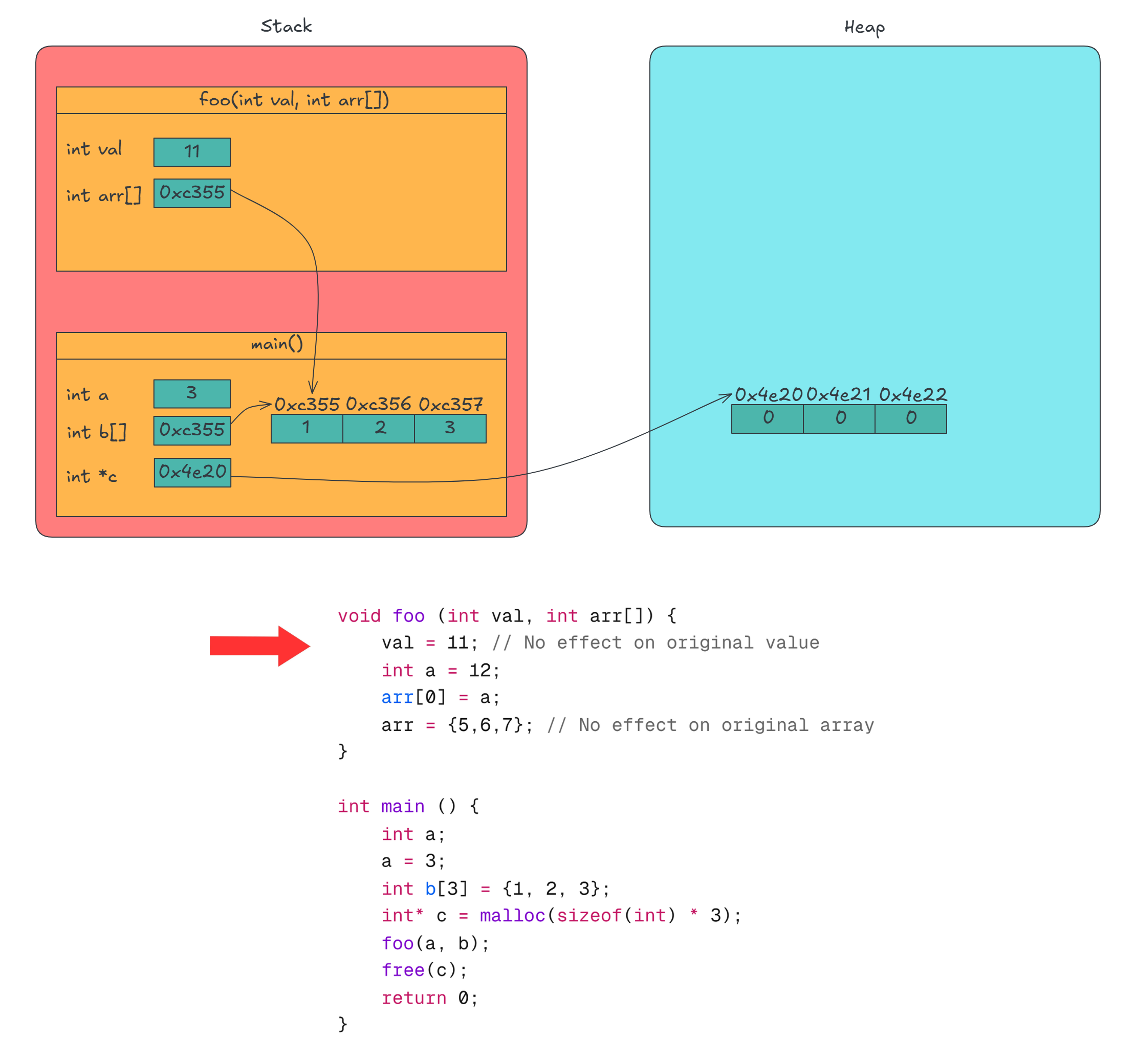
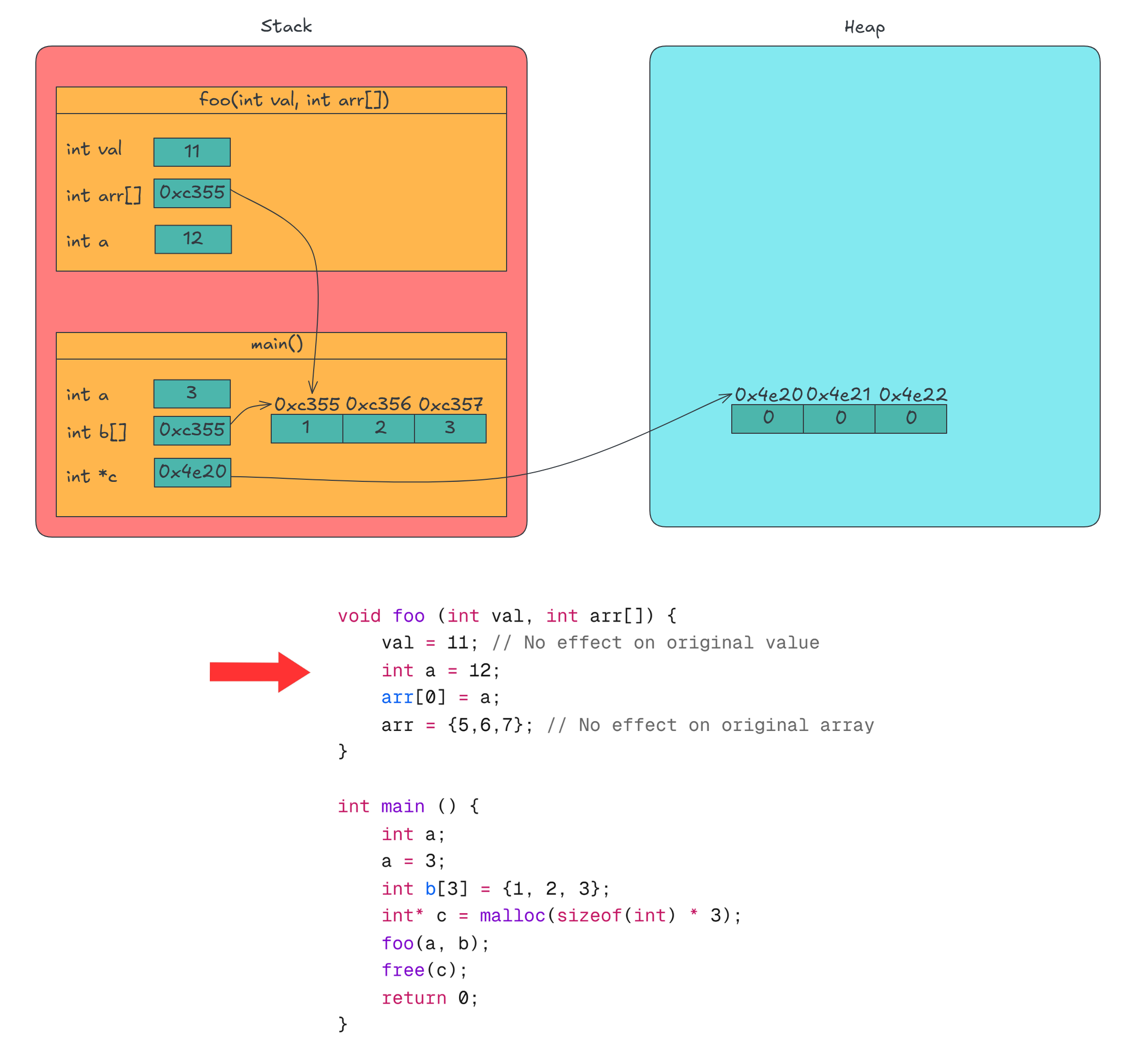
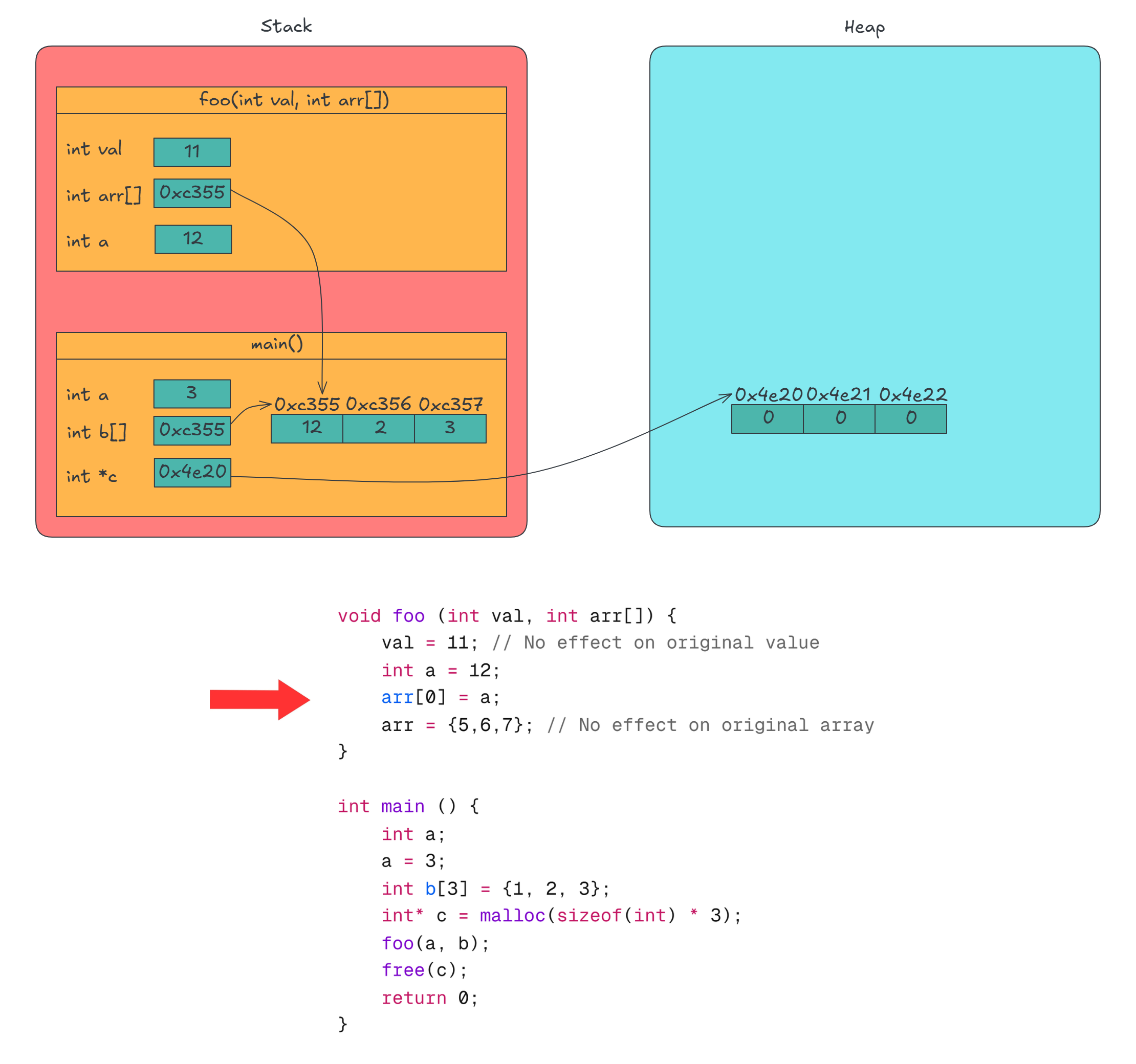
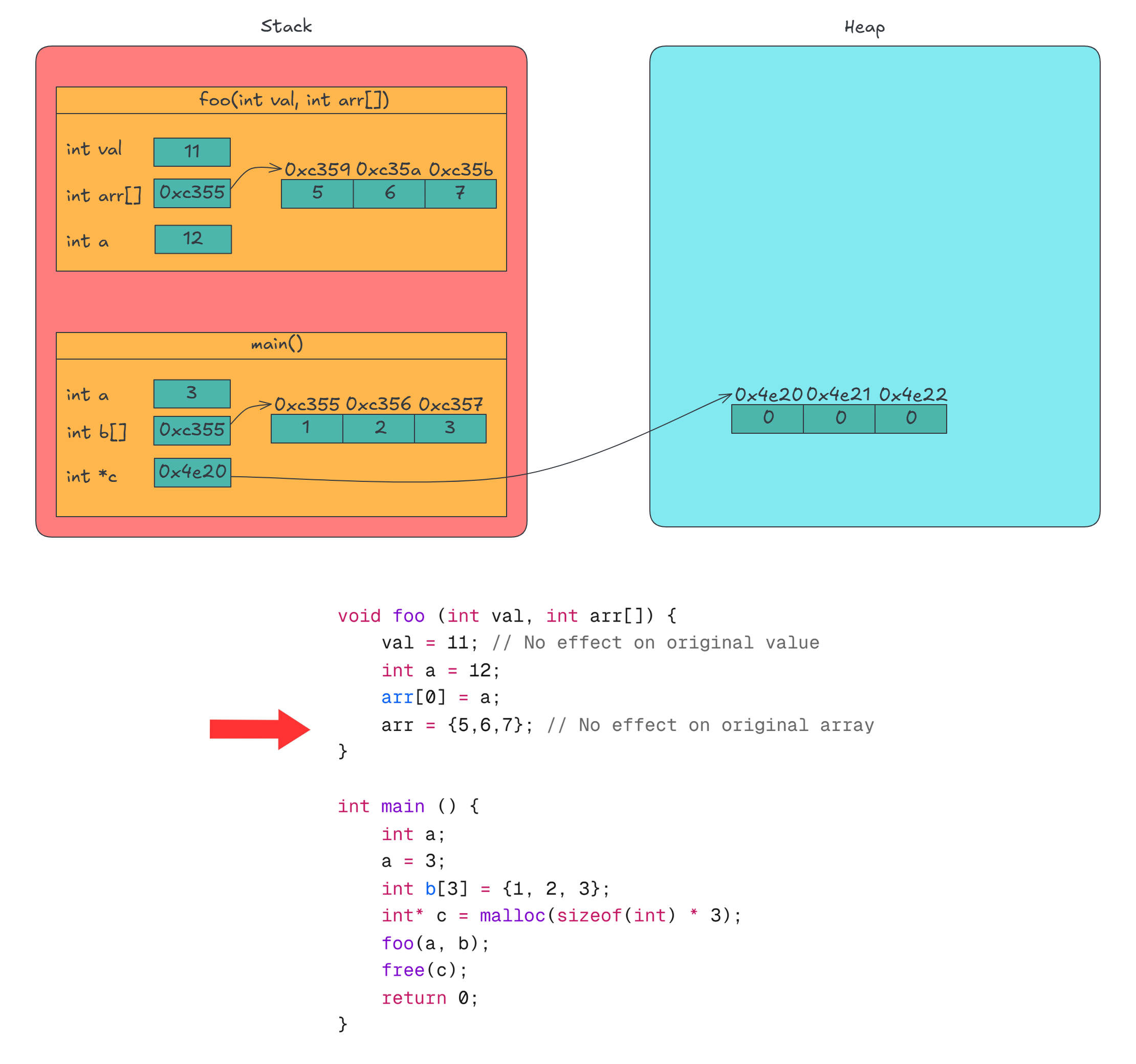
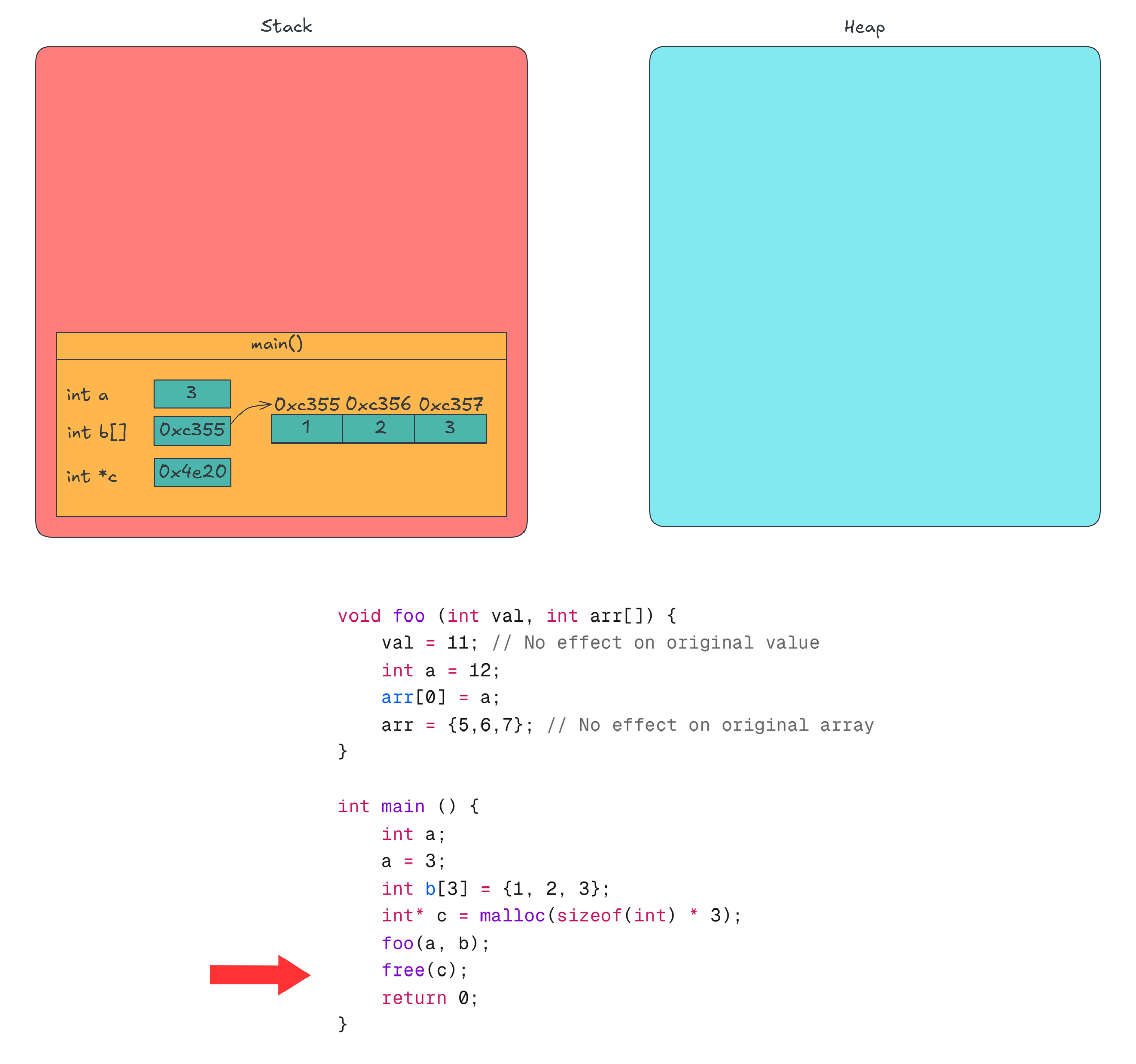
The key takeaways are:
valis passed by value, meaning changes insidefoodon’t affectain main.arris passed as a pointer, so modifications toarr[0]affectb[0]in main.- Assigning
arrto a new array insidefoo()only changes the local copy of arr, not the original pointer.
Stack size and stack overflow
In Linux, you can check the stack size limit using:
ulimit -s
Or:
ulimit -a | grep "stack size"
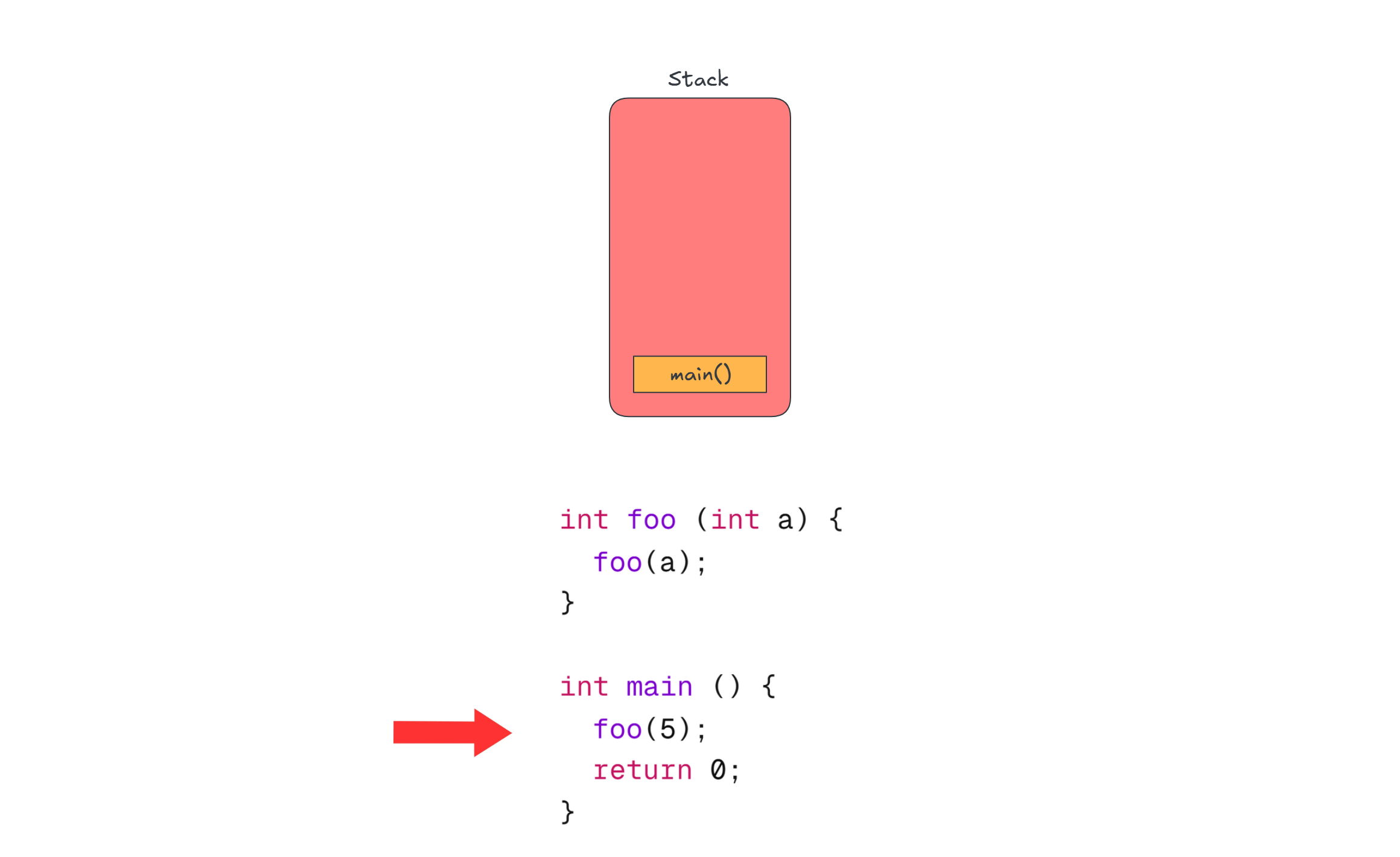
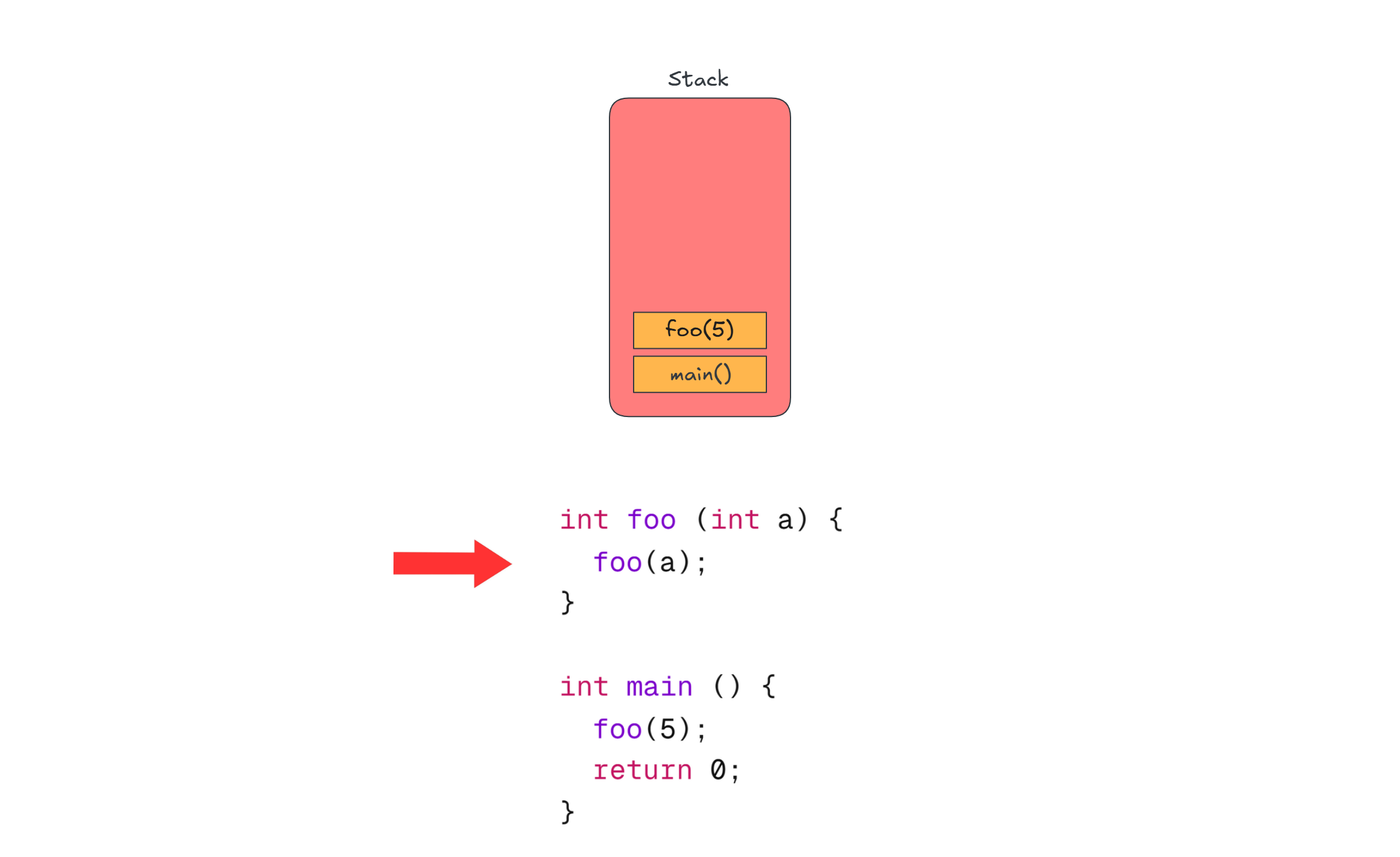
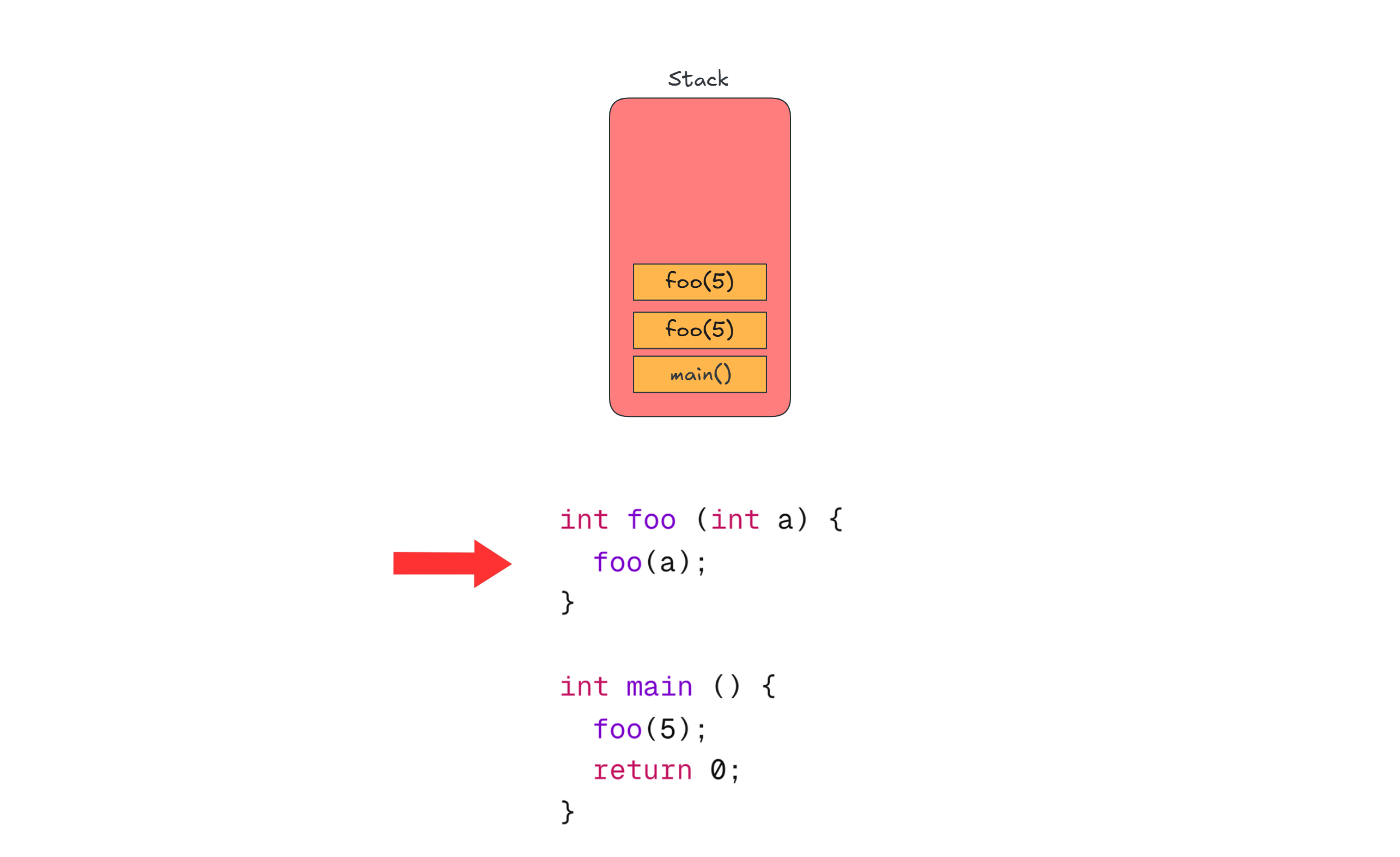
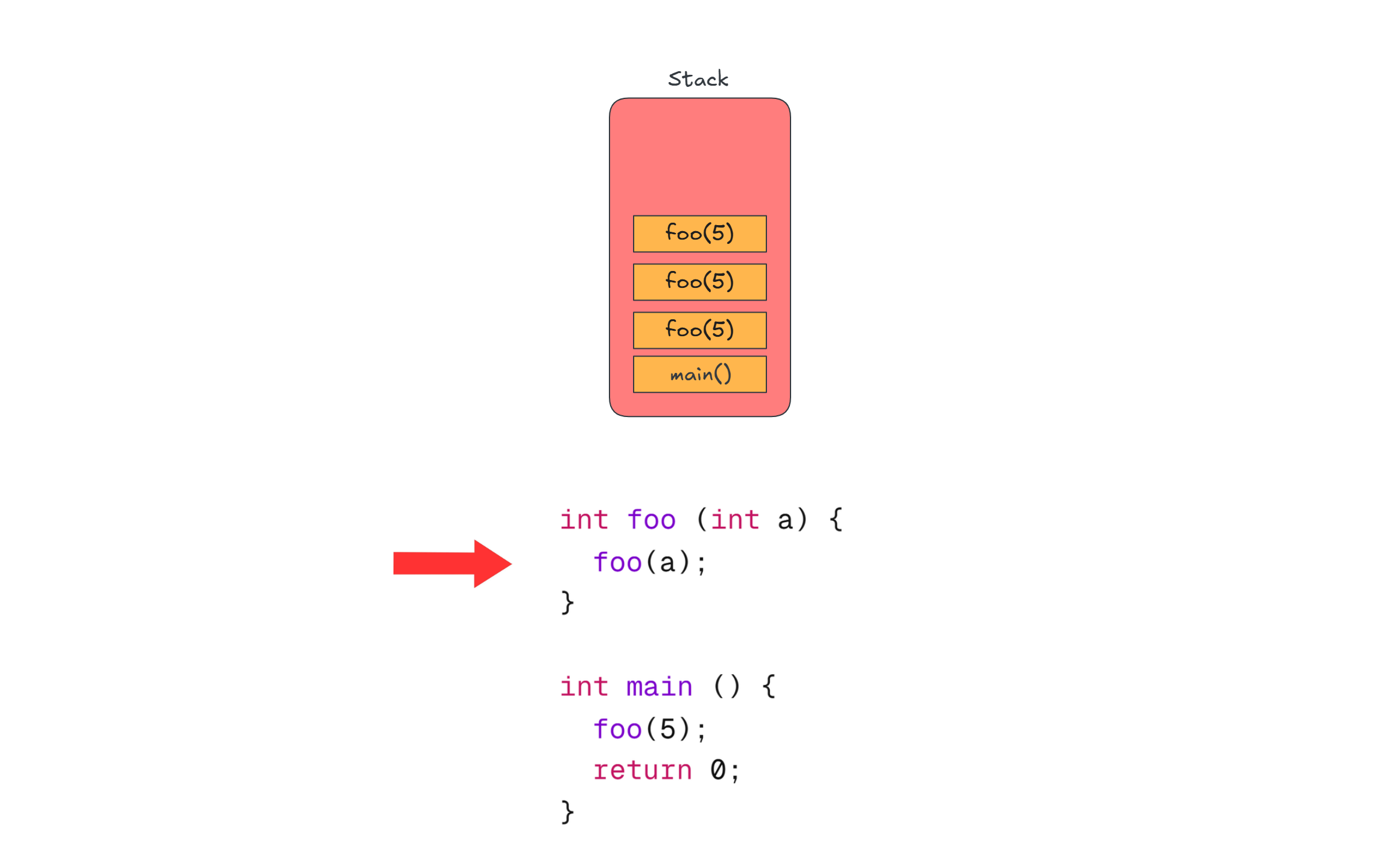
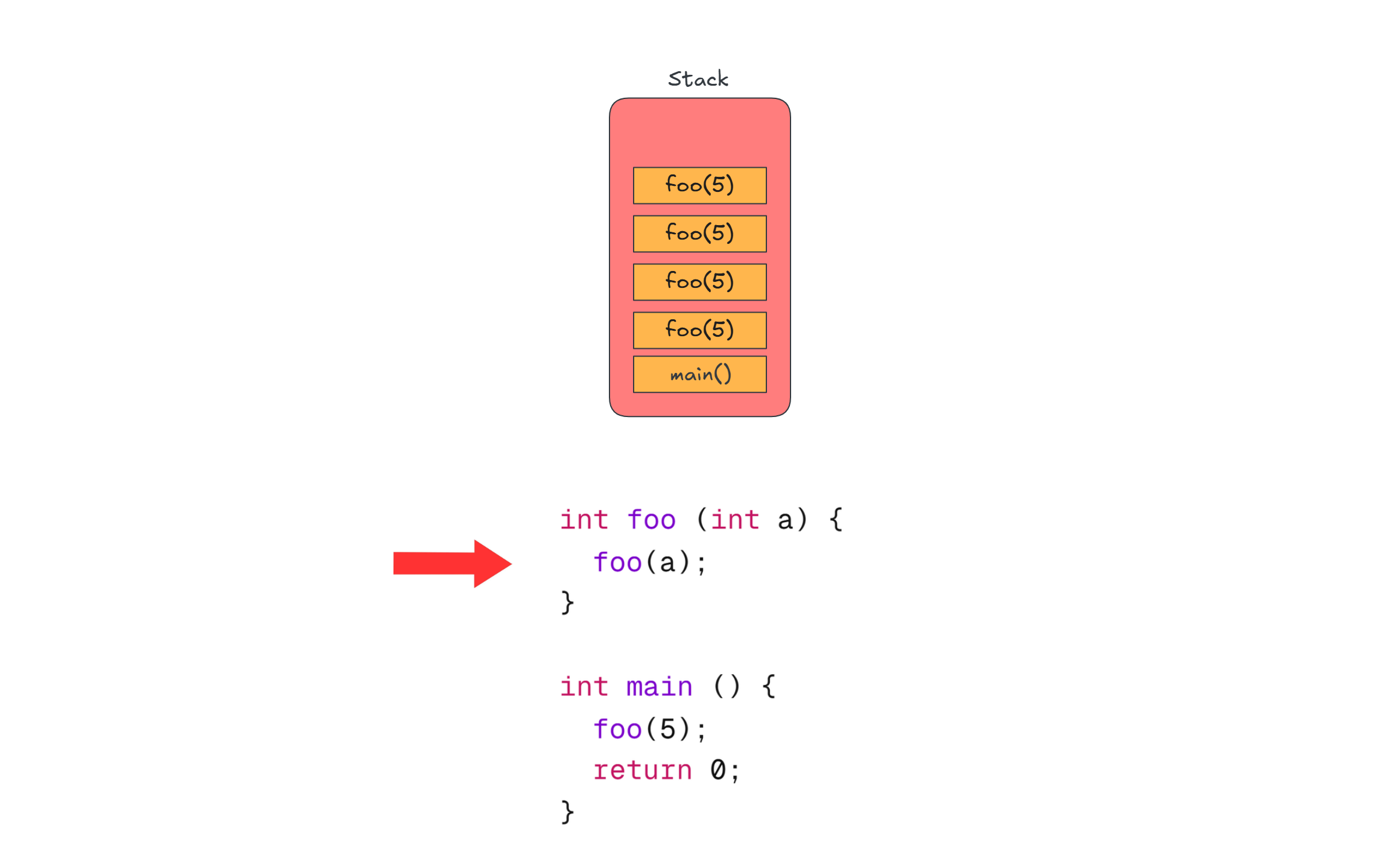
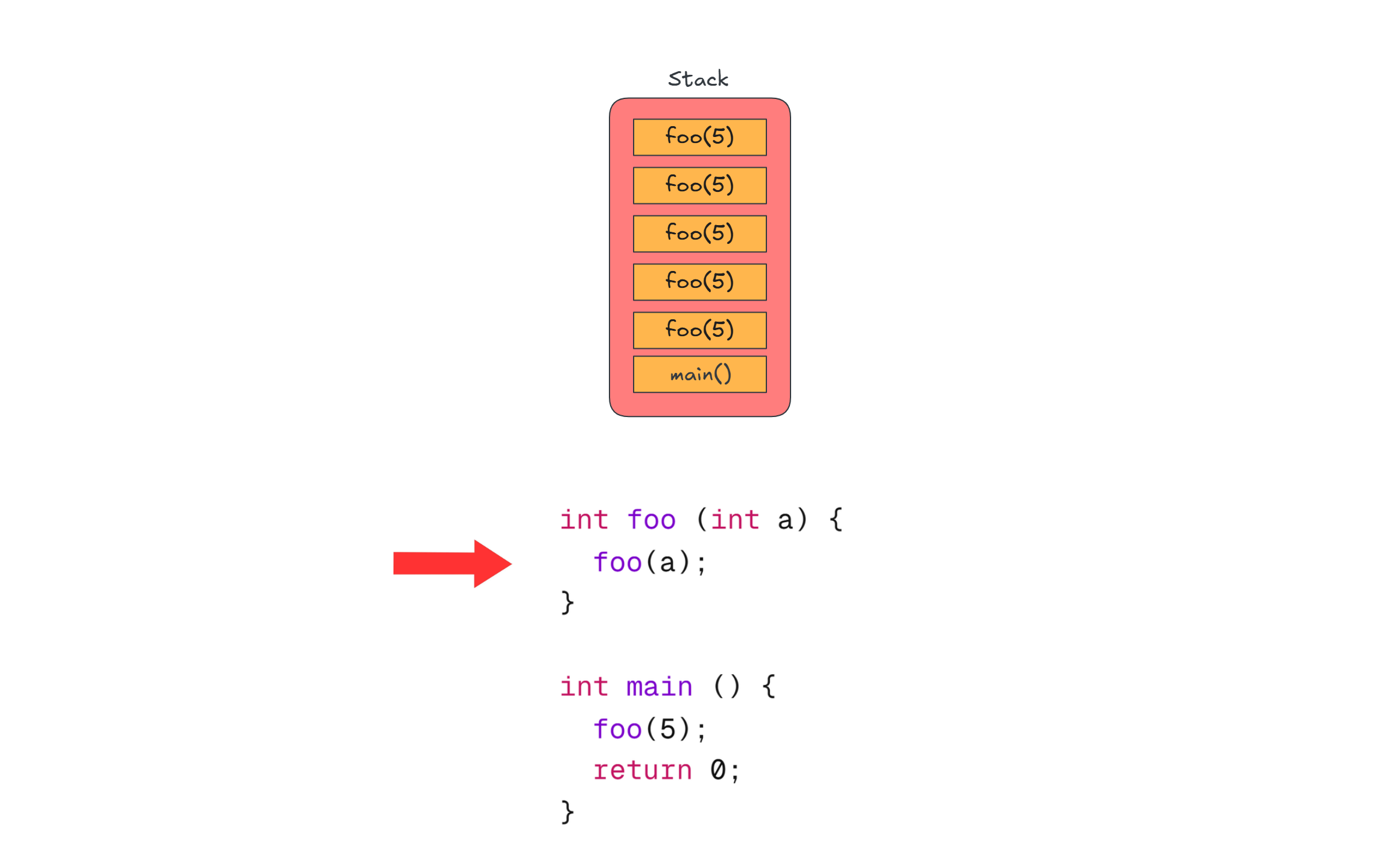
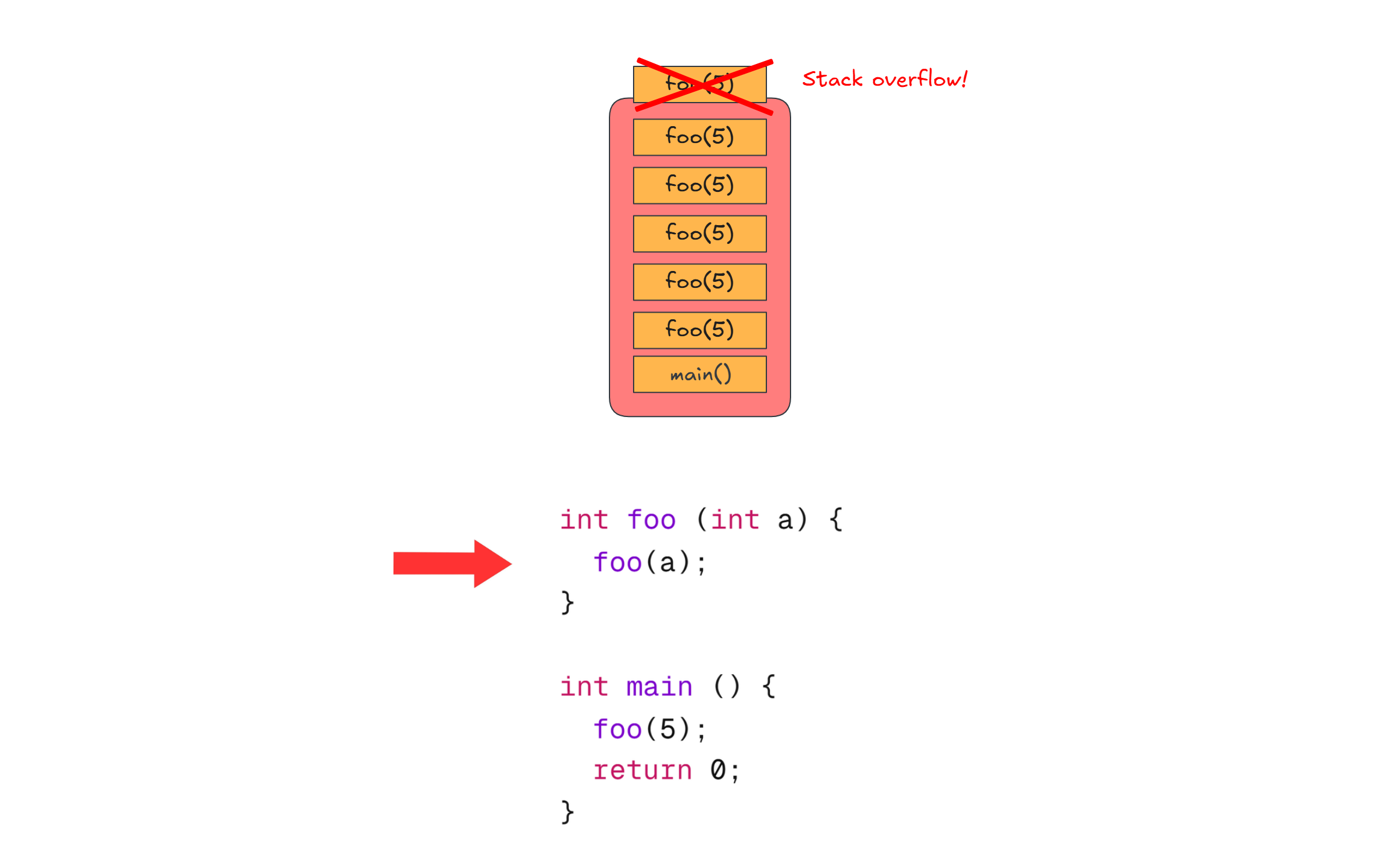
The stack has a fixed size, which explains why a stack overflow occurs when a function recurses indefinitely. Consider this example:
int foo (int a) {
	foo(a);
}

int main () {
	foo(5);
	return 0;
}
You can already imagine from the carousel above what is happening, but here you go again:
Stack end Heap in Java Strings
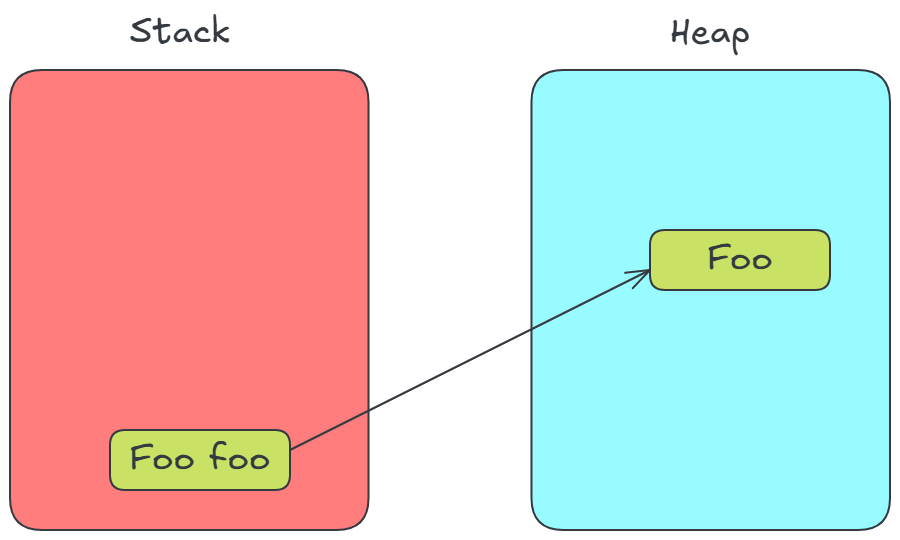
Let’s review how object instantiation typically works. Consider the following example:
class Foo { }
...
Foo foo = new Foo();
In this case, foo is a reference to a new Foo object allocated in the heap memory.
Visually:
However, this is not what happens when you write:
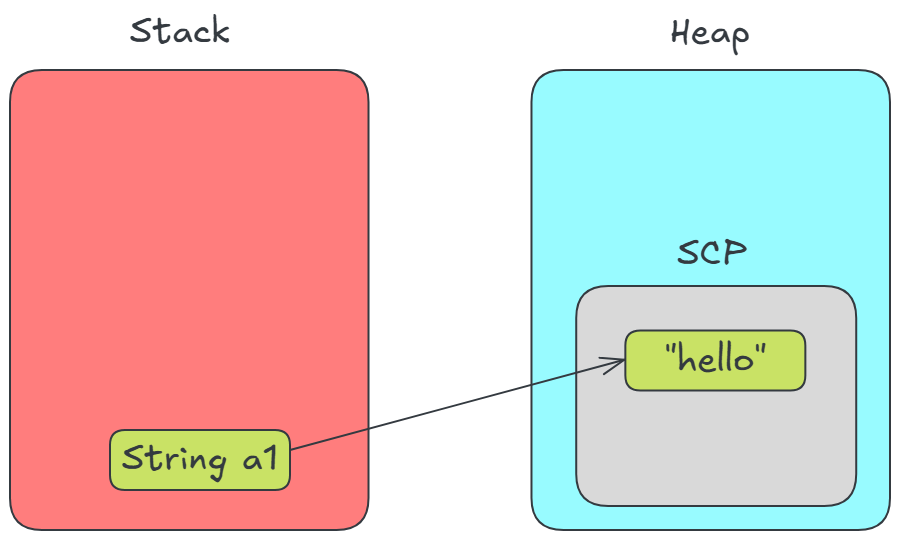
String a1 = "hello";
We can observe two things:
a1is not created via an explicit object instantiation (there’s nonewkeyword)a1must holds a reference that points to aStringobject, like in theFooobject case.
So what happens under the hood is that when the program is being compiled, the compiler recognizes "hello" as a string and does the following:
if SCP already has "hello":
	return that
else:
	create "hello" in SCP
	return that
SCP (String Constant Pool) is a special area of the heap used for this purpose.
Visually:
You can look yourself the HotSpot JVM code here. When parsing a string, the following function is called:
oop StringTable::intern(const StringWrapper& name, TRAPS) {
  unsigned int hash = hash_wrapped_string(name);
  oop found_string = lookup_shared(name, hash);
  if (found_string != nullptr) {
    return found_string;
  }

  ...

  return do_intern(name, hash, THREAD);
}
We can see that
- It calculates the key of the lookup table (SCP) i.e the hash of the String
- Looks for the String in the lookup table (SCP), if it is present (
found_string != nullptr) then it returns that string - If the string is not present in the lookup table (SCP), it creates it using the
do_internmethod.
The provided SCP algorithm above gives us a way to know what happens if we run this script:
String a1 = "hello";
String a2 = "hello";
That is, both a1 and a2 will holds the same reference.
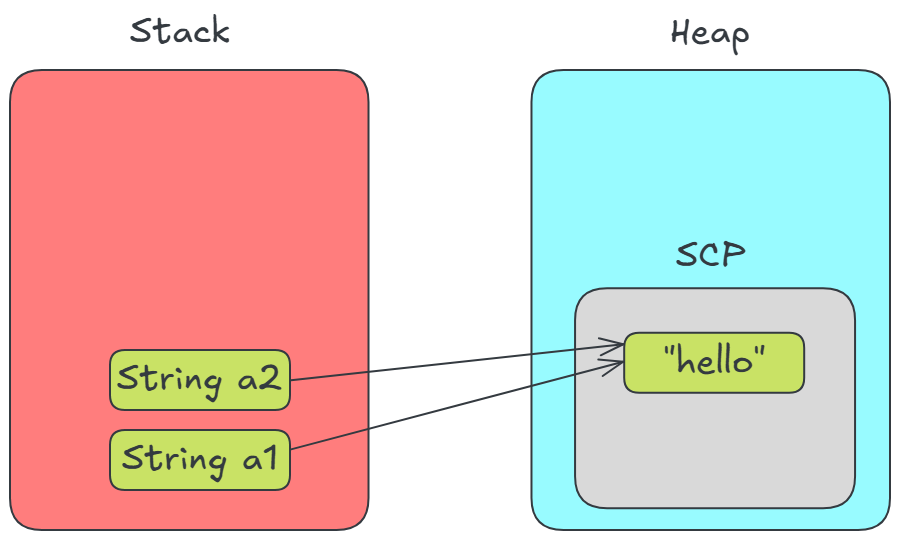
This is the reason we can test if SCP created strings are the same using the == operator:
String a1 = "hello";
String a2 = "hello";
System.out.pritln(a1 == a2); // True, but in general don't use == to test String equality
Another way to use Java String
In Java you have the option to create String in the heap like every other object:
String a4 = new String("hello");
What happens this time is that the compiler recognizes first there is a string "hello" then it also sees that it is surrounded by an object instantiation, for this reason it will pass the string to the String object constructor.
The result is that this will create a String object in the heap, like with Foo object.
You can put the String object in the SCP using the String intern() method.
String a4 = new String("hello");
String a5 = new String("hello").intern();
String a6 = "hello";
System.out.println(a4 == a5); // False
System.out.println(a5 == a6); // True, because a5 is in SCP
Test your understanding
Given the explanation above, you might be able to tell what the output of the following script is going to be:
String a1 = "hello";
String a2 = "hello";
String a3 = "other";
Foo foo = new Foo();
String f4 = new String("hello");

System.out.println(a1 == a2); // True
System.out.println(a2 == a3); // False
System.out.println(a4 == a1); // False
System.out.println(foo == a1); // False
Visually:

This demonstrates that the == operator checks for reference equality, not content equality.
To properly compare the content of String(s), you should use the .equals() method, like so:
System.out.println(a1.equals(a4)); // True
References
- Online memory stack and heap visualizer (link)
Luigi